



StarTech.com 2-Port USB-A & USB-C PCIe Card – Boost Your PC’s Speed
Original price was: $92.75.$74.99Current price is: $74.99.
Add blazing-fast USB 3.1 Gen 2 ports to your desktop with this PCIe card. Includes both USB-C and USB-A for maximum compatibility. Speeds up to 10Gbps!
5 in stock
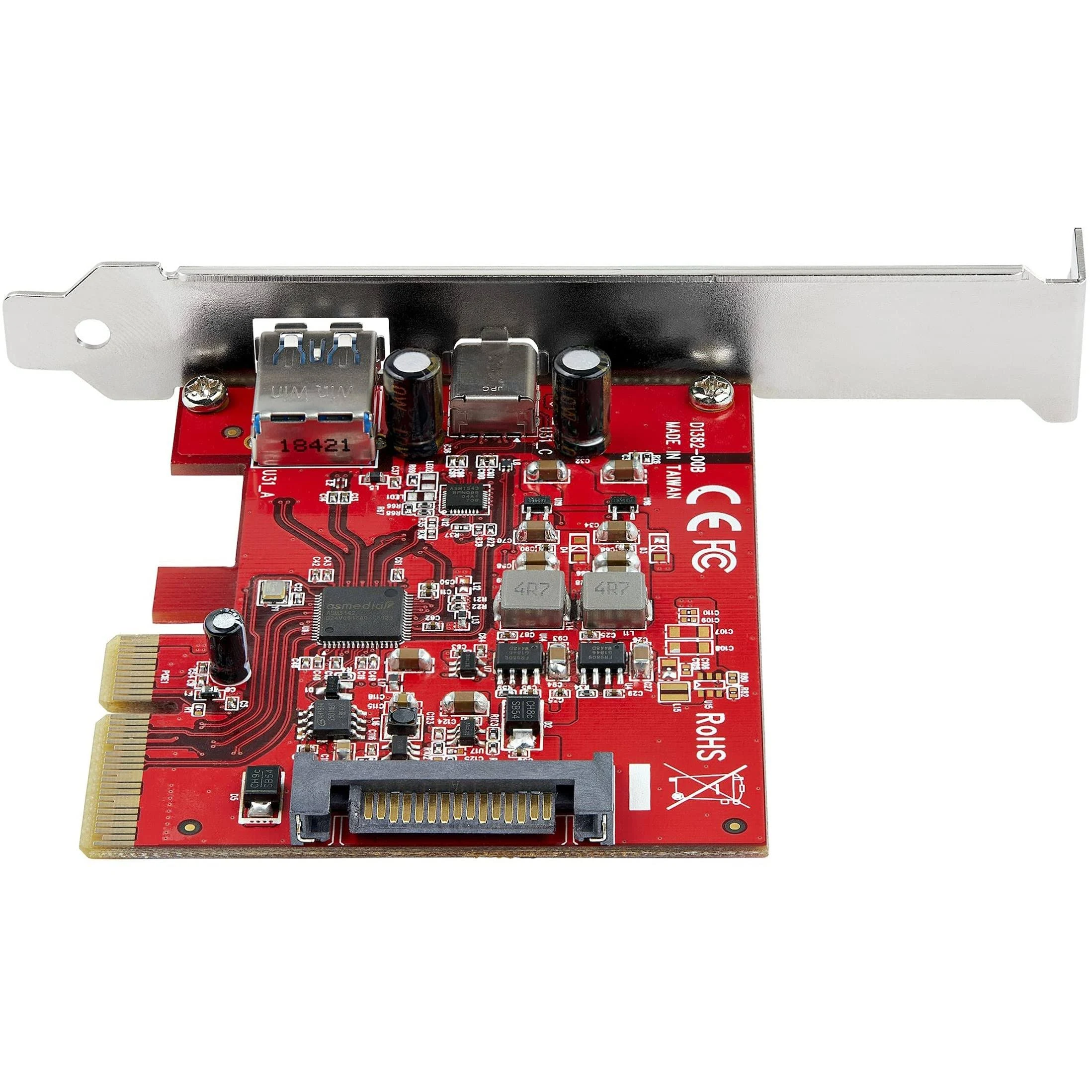
Upgrade your computer with the StarTech.com 2-Port USB-A & USB-C USB 3.1 PCI Express Adapter (PEXUSB311AC3) and experience the speed and convenience of USB 3.1 Gen 2. This adapter card easily installs into a PCIe slot, adding both a USB-C and a USB-A port to your desktop, ensuring compatibility with both new and older devices. Ideal for anyone needing faster data transfer speeds for external drives, high-resolution video editing, or simply expanding their connectivity options.
Best Features:
- Dual Ports: Adds one USB-C and one USB-A port to your desktop computer.
- 10Gbps Transfer Speed: Each port supports data transfer rates up to 10Gbps, allowing for lightning-fast file transfers.
- UASP Support: Enhances performance with UASP (USB Attached SCSI Protocol) support, offering up to 70% faster transfer speeds compared to conventional USB.
- Broad Compatibility: Works with USB 3.2 Gen 2, USB 3.1, USB 3.0, and USB 2.0 devices.
- Easy Installation: Includes both standard and low-profile brackets for installation in various PC form factors.
- Power Delivery: Provides up to 15W (5V/3A) via the USB-C port and 4.5W (5V/0.9A) via the USB-A port.
Technical Specifications:
- Ports: 1x USB-C, 1x USB-A
- Interface: PCI Express x4
- Data Transfer Rate: 10 Gbps per port
- UASP Support: Yes
- Chipset ID: ASMedia ASM3142
- OS Compatibility: Windows 7, 8, 8.1, 10, 11, macOS 10.13 to 13.0, Linux 3.5+
- Power Delivery: 15W (USB-C), 4.5W (USB-A)
- Connector Type(s): 1 – PCI Express x4, 1 – SATA Power (15 pin)
- Product Dimensions: 4.7in x 3.2in x 0.7in
Networking Equipment Features:
- Network Standards: Not applicable (this is a USB card, not a networking card)
- Data Transfer Rate and Number of Ports: Offers a 10Gbps data transfer rate on each of its 2 ports (1 USB-A and 1 USB-C).
- Management Features: Unmanaged.
- Security Protocols: Not applicable.
How to Use:
1. Power down your computer and unplug the power cable.
2. Open your computer case and locate an available PCI Express x4 slot.
3. Install the PEXUSB311AC3 card into the PCIe slot.
4. Connect a SATA power cable from your power supply to the card, if desired, for additional power.
5. Close your computer case and reconnect the power cable.
6. Power on your computer. The necessary drivers should install automatically.
Enhance your system’s connectivity and speed with the StarTech.com 2-Port USB 3.1 PCIe Adapter. Order yours today and experience the future of USB technology!
Only logged in customers who have purchased this product may leave a review.


Reviews
There are no reviews yet.