











HP CLT-K808S Black Toner Cartridge – High Yield, Reliable Printing
Original price was: $106.38.$87.99Current price is: $87.99.
Get professional-quality prints with the HP CLT-K808S black toner cartridge. High yield, reliable performance for your Samsung printer. Prints up to 23,000 pages. Order now!
1 in stock
HP CLT-K808S Black Toner Cartridge – Power Your Prints
The HP CLT-K808S Black Toner Cartridge is designed to deliver exceptional print quality and reliable performance for your Samsung laser printer. Whether you’re printing important documents or marketing materials, this high-yield toner cartridge ensures crisp, clear text and professional-quality graphics every time. Perfect for businesses and home offices that demand consistent results.
Best Features:
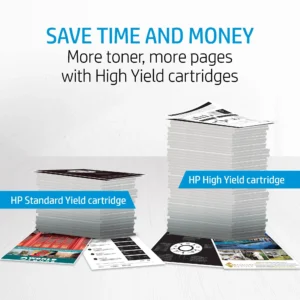
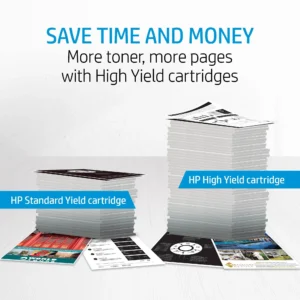
- High Page Yield: Print up to 23,000 pages, reducing the frequency of replacements.
- Exceptional Print Quality: Get crisp, sharp black text and professional-quality graphics.
- Reliable Performance: Designed to work seamlessly with your Samsung printer for worry-free performance.
- Genuine HP Toner: Ensures optimal print quality and protects your printer from damage.
- Eco-Friendly: Eco-Friendly Certified by TÜV Rheinland.
Technical Specifications:
- Product Type: Laser Toner Cartridge.
- Color: Black.
- Page Yield: 23,000 pages.
- Brand Compatibility: HP (for Samsung printers).
- Print Technology: Laser Printing.
Compatibility:
The HP CLT-K808S Black Toner Cartridge is compatible with the following Samsung MultiXpress laser printers:
- SL-X4220RX
- SL-X4250LX
- SL-X4300LX
Warranty & Support:
This HP toner cartridge comes with a standard HP warranty, ensuring protection against defects in materials and workmanship. For service options and support, you can visit the HP support website or contact HP customer service for troubleshooting, technical support, and product manuals.
How to Use:
- Turn off your Samsung printer and open the toner cartridge access door.
- Remove the used toner cartridge.
- Unpack the new HP CLT-K808S Black Toner Cartridge.
- Gently shake the new cartridge from side to side to distribute the toner.
- Remove the protective seals and guides.
- Insert the new toner cartridge into the printer until it clicks into place.
- Close the toner cartridge access door.
- Turn on your printer and print a test page to ensure optimal print quality.
Conclusion:
Experience the difference with the HP CLT-K808S Black Toner Cartridge. Get consistent, high-quality prints with every page. Order yours today and keep your Samsung printer running smoothly!
Only logged in customers who have purchased this product may leave a review.







Reviews
There are no reviews yet.