



HP 955 Yellow Ink Cartridge – Vibrant, Reliable Printing
Original price was: $37.82.$27.49Current price is: $27.49.
Get vivid yellow prints with the HP 955 Original Ink Cartridge. Reliable performance, 700-page yield, and designed for select HP OfficeJet Pro printers. Order now!
68 in stock
Get Vibrant Prints with the HP 955 Yellow Original Ink Cartridge
Looking for reliable and high-quality yellow ink for your HP OfficeJet Pro printer? The HP 955 Yellow Original Ink Cartridge (L0S57AA) is your perfect solution. Designed to deliver consistent, vibrant prints, this cartridge is ideal for both home and office use. Ensure your documents and photos always look their best with genuine HP ink.
Best Features:
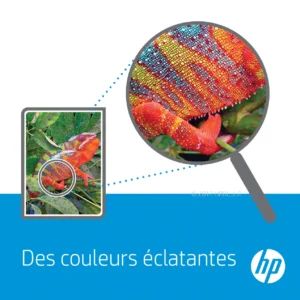
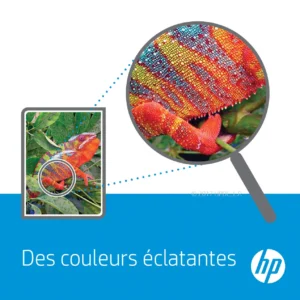
- Vibrant Yellow Color: Produces bright, vivid yellow tones for eye-catching prints.
- Page Yield: Prints approximately 700 pages, perfect for moderate to high-volume printing.
- Reliable Performance: Original HP ink ensures consistent and dependable results.
- Pigment-Based Ink: Creates water, smear, and fade-resistant prints that last.
- Easy Recycling: Free and easy recycling through HP Planet Partners program.
- HP Technology: HP Thermal Inkjet technology.
Technical Specifications:
- Cartridge Color: Yellow
- Print Technology: HP Thermal Inkjet
- Page Yield: Approximately 700 pages
- Ink Volume: 10 ml
- Ink Type: Pigment-based
- Operating Temperature Range: 5 to 35°C
- Operating Humidity Range: 10 to 90% RH
- Ink Drop: 7 pl
Warranty & Support:
This HP 955 Yellow Original Ink Cartridge is covered by a 6 Months Limited Warranty (Return to HP/Dealer). HP warrants its ink cartridges to be free from defects in materials and workmanship during the warranty period. For support, visit the HP online support website or contact your point of purchase.
How to Use:
- Ensure the printer is powered on.
- Open the cartridge access door.
- Remove the old cartridge (if replacing).
- Unpack the new HP 955 Yellow Ink Cartridge.
- Insert the cartridge into the correct slot until it clicks into place.
- Close the cartridge access door.
- Print a test page to ensure quality.
Conclusion:
The HP 955 Yellow Original Ink Cartridge is an excellent choice for anyone seeking reliable, high-quality yellow prints. With its impressive page yield, vibrant color output, and easy recycling options, it’s a smart and sustainable choice. Don’t compromise on quality – order your HP 955 Yellow Ink Cartridge today and experience the difference!
Only logged in customers who have purchased this product may leave a review.



Reviews
There are no reviews yet.