

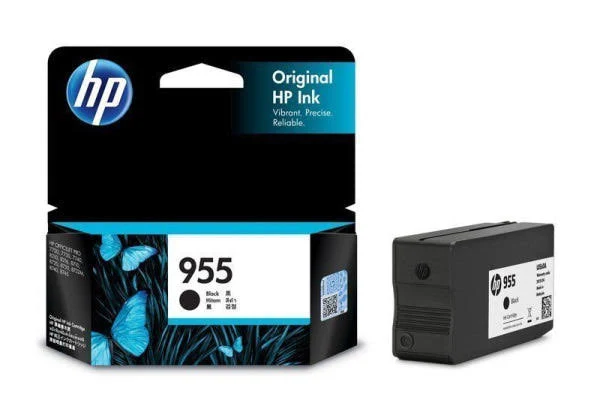
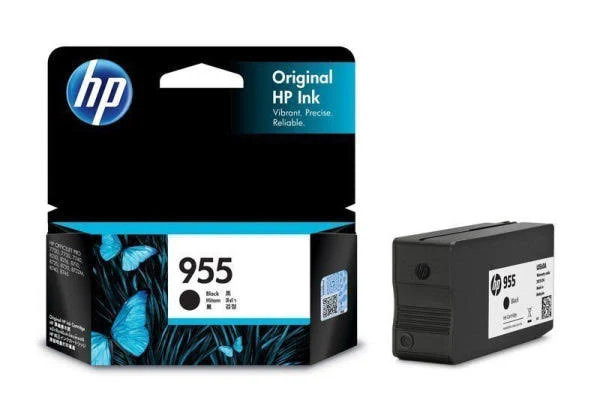

HP 955 Black Original Ink Cartridge – Reliable Performance
Original price was: $50.14.$36.49Current price is: $36.49.
Get professional-quality black prints with the HP 955 Original Ink Cartridge. Reliable performance, consistent results, and sharp text for your HP OfficeJet Pro printer.
96 in stock
HP 955 Black Original Ink Cartridge – Professional Quality Prints
The HP 955 Black Original Ink Cartridge is designed for anyone who needs reliable, high-quality black prints. Whether you’re printing documents at home or in the office, this cartridge delivers consistent results and sharp text every time. Get professional-quality prints that resist water, smearing, and fading.
Best Features:
- Reliable Performance: Count on Original HP ink cartridges for consistent, dependable performance.
- High-Quality Prints: Produce sharp black text and professional-quality documents.
- Fade Resistance: Ensure your prints stand the test of time with fade-resistant ink.
- Water and Smear Resistance: Print documents that resist water and smearing, perfect for professional use.
- Standard Yield: Print up to 1,000 pages, ideal for everyday printing needs.
- Wide Compatibility: Compatible with a range of HP OfficeJet Pro printers.
Technical Specifications:
- Color: Black
- Ink Type: Pigment-based
- Page Yield: Approximately 1,000 pages
- Ink Drop: 10.5 pl
- Operating Temperature Range: 5 to 35°C
- Storage Temperature Range: -40 to 60°C
- Storage Humidity: 10 to 90% RH
- Dimensions (W x D x H): 119 x 126 x 36 mm
- Weight: 0.09 kg
Compatibility:
The HP 955 Black Original Ink Cartridge (L0S60AA) is compatible with the following HP OfficeJet Pro printers:
- HP OfficeJet Pro 7720
- HP OfficeJet Pro 7730
- HP OfficeJet Pro 7740
- HP OfficeJet Pro 8210
- HP OfficeJet Pro 8216
- HP OfficeJet Pro 8710
- HP OfficeJet Pro 8720
- HP OfficeJet Pro 8730
- HP OfficeJet Pro 8740
- HP OfficeJet Pro 8745
Warranty & Support:
This HP 955 Original Ink Cartridge is covered by a 6-month limited warranty (Return to HP/Dealer). HP’s ink cartridges are warranted to be free from defects in materials and workmanship during the warranty period. For service options and support channels, please visit the HP website or contact HP customer support.
How to Use:
- Open the printer’s cartridge access door.
- Remove the old cartridge.
- Unpack the new HP 955 Black Original Ink Cartridge.
- Insert the new cartridge into the correct slot.
- Close the cartridge access door.
- Follow any on-screen prompts to align the printer.
Conclusion:
Experience reliable, high-quality printing with the HP 955 Black Original Ink Cartridge. Designed for consistent performance and professional results, this cartridge is perfect for your home or office needs. Don’t settle for less – upgrade your printing experience today!
Add the HP 955 Black Original Ink Cartridge to your cart now and enjoy exceptional print quality!
Only logged in customers who have purchased this product may leave a review.







Reviews
There are no reviews yet.